Why Most AI Projects Don't Get You Hired
A basic chatbot, a PDF question-answering bot, a GPT API wrapper with a UI — these projects are on the resume of every second applicant. Experienced hiring managers have seen hundreds of them. They do not shortlist anyone for building one.
What makes a project stand out is not complexity for its own sake. It is engineering judgement — evidence that you understood a real problem, made deliberate design decisions, and measured whether they worked. That is what the five projects below are designed to teach.
The rule every project must pass
Can you answer "What did you measure, what was wrong, and how did you fix it?" If yes, it is a strong project. If not, it is a tutorial clone.
Each project below specifies the tech stack, the build steps, and — most importantly — the one thing that makes it stand out from everyone else who builds a similar project.
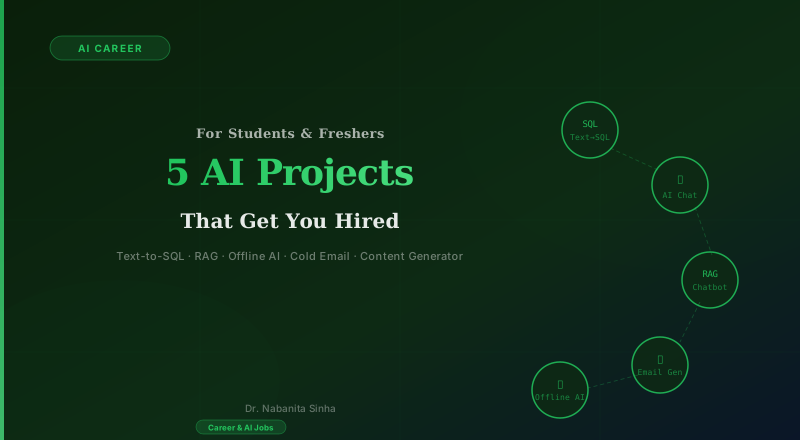
Text-to-SQL with a Clarification Engine
SQL · LLM · Prompt Engineering
Why this project
Almost every company stores data in SQL databases. An AI layer that translates plain English into queries is one of the most requested enterprise features right now — and building one shows you understand both LLMs and databases.
What to build
Build a system where users type natural-language questions like "show me last month's top customers" and the app generates and runs the correct SQL query. The key twist: when a question is ambiguous, the system asks a clarifying follow-up instead of confidently returning a wrong answer.
How to build it
- 1.Set up a PostgreSQL database with sample data (customers, orders, payments).
- 2.Write a prompt that gives the LLM the database schema and instructs it to output either a SQL query or a clarification question using structured output (Pydantic).
- 3.Add an ambiguity detector: if the query could be interpreted multiple ways, return a follow-up question to the user before executing.
- 4.Measure accuracy: log how often the system's SQL is correct with vs. without the clarification layer.
Tech stack
💰 Cost: Zero — use free-tier API
What makes it stand out
Document the accuracy improvement — "retrieval accuracy went from 61% to 85% after adding the clarification engine" is the kind of measurable result that gets a recruiter's attention.
Offline AI Assistant with Model Benchmarking
Ollama · Local LLM · Privacy AI
Why this project
Healthcare, banking, and legal firms cannot send data to external servers. Companies need engineers who can run models locally. Most freshers have never done this — which makes it an instant differentiator.
What to build
Run a fully offline AI assistant on your laptop using Ollama. Build something useful on top of it — a policy Q&A tool, a local knowledge base, or a study assistant. Then benchmark three different models on the same 30–40 questions and publish the comparison.
How to build it
- 1.Install Ollama and pull three models: Llama 3.2 (3B), Mistral 7B, and Phi-3 Mini.
- 2.Build a simple chat UI with Streamlit that queries the local model.
- 3.Create a benchmarking script: run the same 30 questions through all three models, record response time, RAM usage, and answer quality (manually rated 1–5).
- 4.Build a comparison table in your README: model vs. RAM vs. speed vs. quality score.
Tech stack
💰 Cost: Zero — all local, no API keys
What makes it stand out
The comparison table is the project. Choosing which model to use is one of the most important decisions an AI team makes — show you can make that decision with data.
RAG Chatbot Over Domain Documents
RAG · Embeddings · Vector DB · LangChain
Why this project
Retrieval-Augmented Generation (RAG) is the single most common pattern in enterprise AI. If you understand how it actually works — chunking, embedding, retrieval, generation — you can contribute to almost any AI team from day one.
What to build
Build a chatbot that answers questions over a set of PDF documents. Pick a real domain: product documentation, financial reports, HR policy manuals, or legal contracts. The app must return answers with citations pointing to the exact source paragraph.
How to build it
- 1.Load your documents, chunk them into ~500-token pieces with 100-token overlap, and store embeddings in ChromaDB.
- 2.Build a retrieval pipeline: for each user question, retrieve the top-5 most relevant chunks and pass them to the LLM as context.
- 3.Enforce citations: the LLM must reference which chunk it drew each claim from. If it cannot, it should say so rather than hallucinate.
- 4.Add an evaluation set: manually write 20 questions with known answers and measure retrieval accuracy.
Tech stack
💰 Cost: Low — embedding calls are cheap
What makes it stand out
The citation enforcement and the eval set are what separate this from a tutorial clone. A recruiter should be able to ask you "what is your retrieval accuracy?" and you should have a real number.
AI-Powered Invoice & Document Processing Pipeline
Document AI · Structured Extraction · FastAPI
Why this project
Every finance, legal, and operations team processes thousands of PDF documents — invoices, purchase orders, contracts, compliance filings. Automated structured extraction is one of the most widely deployed enterprise AI use cases, and most freshers have never touched it.
What to build
Build an end-to-end pipeline that accepts PDF invoices or contracts, extracts structured data (vendor name, invoice number, line items, amounts, due dates), validates field consistency, flags anomalies such as duplicate invoice IDs or missing tax fields, and stores results in a database.
How to build it
- 1.Use pdfplumber to extract raw text from PDF invoices. Handle multi-page documents and tables.
- 2.Feed the extracted text to an LLM with a Pydantic schema: vendor, invoice_id, date, line_items (list), subtotal, tax, total. Use structured output mode to guarantee parseable JSON.
- 3.Add a validation layer: check that subtotal + tax == total, flag if an invoice_id already exists in the database (duplicate detection).
- 4.Wrap everything in a FastAPI endpoint that accepts a PDF upload and returns the extracted JSON. Log every extraction with confidence flags.
Tech stack
💰 Cost: Low — a few API calls per document
What makes it stand out
Add a before/after accuracy metric: manually compare 50 extractions against ground truth. "Reduced manual data entry errors by 73%" is a business result — exactly what enterprise hiring managers want to see.
AI Customer Support Triage & Resolution System
Classification · LangChain · Ticket Routing
Why this project
Every SaaS company, e-commerce platform, and enterprise software team runs a support operation. AI-powered triage — classifying tickets by urgency and category and generating a resolution draft — is one of the first AI workflows teams deploy because the ROI is immediate and measurable.
What to build
Build a system that accepts customer support tickets, classifies them by category (billing, technical, account access, feature request) and urgency (P1 critical, P2 high, P3 normal), routes to the right team, and auto-generates a suggested resolution draft the support agent can review and send.
How to build it
- 1.Create a classification prompt: given a ticket, output structured JSON with category, urgency, and a one-sentence summary. Use Pydantic for schema enforcement.
- 2.Build a routing table: map category + urgency to a team queue (e.g. P1 billing → finance-critical, P2 technical → engineering-tier2).
- 3.For resolution generation: retrieve the top-3 most similar resolved tickets from a vector store (seeded manually), then ask the LLM to draft a response using those as examples.
- 4.Build a Streamlit dashboard showing the incoming ticket queue, classified tickets by team, and resolution drafts with an 'Approve' button (mocked).
Tech stack
💰 Cost: Low — a few cents per ticket
What makes it stand out
Measure routing accuracy on a test set of 50 tickets: label them manually, then compare the AI classification. Also measure how often the auto-draft gets approved without edits. These two numbers make your project look like a product, not a prototype.
Five Rules for Projects That Actually Get You Hired
Pick ONE project and build it properly. Five half-finished projects hurt more than one polished one.
Document everything — what you built, what broke, what you changed, and what the numbers say. Decisions and tradeoffs are what interviewers actually ask about.
Measure something. Accuracy, latency, token cost — any metric is better than 'it works'. Numbers on your resume are not optional.
Put it on GitHub with a clear README, a demo GIF or screenshot, and instructions to run it. If a recruiter cannot understand the project in 60 seconds, it will not be read.
Deploy it, even if it is just Streamlit Community Cloud. A live URL always beats 'available upon request'.
Ready for the next level?
You've built one of these. What comes next?
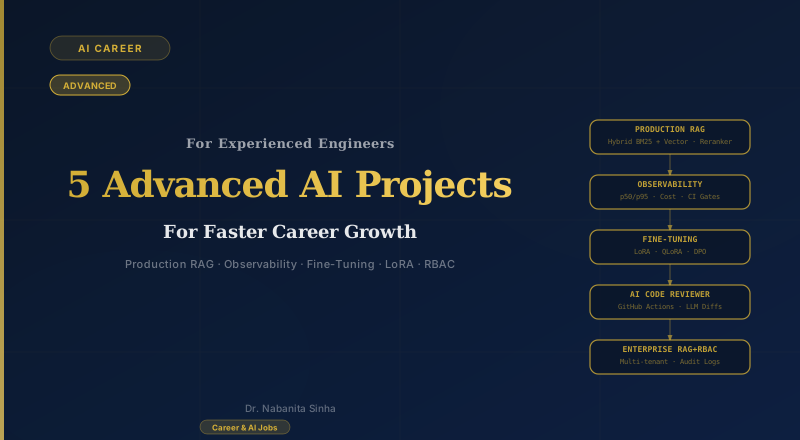
Once you have a strong beginner project on your resume, the next step is adding a project that demonstrates production-level engineering — evaluation pipelines, observability, fine-tuning. That is what the advanced article covers.
Read: 5 Advanced AI Projects